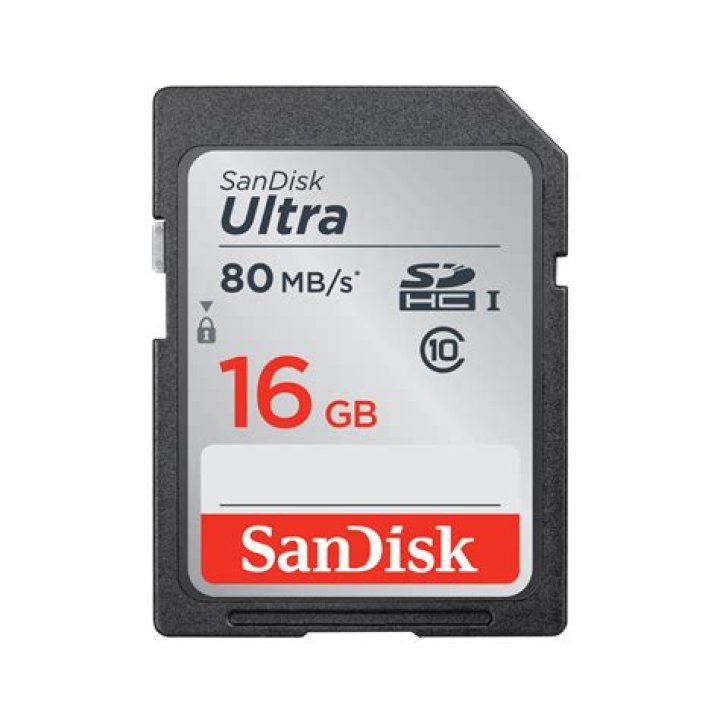
Secure Digital (SD) cards have become an essential part of modern technology, enabling users to expand their device storage seamlessly. Whether you're a photographer, a smartphone user, or a tech enthusiast, understanding SD cards is crucial for optimizing your digital experience. This article will delve into the world of SD cards, exploring their types, functionalities, and applications.
As technology continues to evolve, the demand for efficient and reliable storage solutions has grown exponentially. SD cards have emerged as one of the most popular choices for external storage due to their versatility and compact design. With the ability to store vast amounts of data, SD cards are widely used in cameras, smartphones, laptops, and other electronic devices.
This guide aims to provide a detailed overview of SD cards, covering everything from their history and types to their advantages and limitations. By the end of this article, you'll have a comprehensive understanding of how SD cards work, how to choose the right one for your needs, and how to maximize their performance.
The History of SD Cards
The development of SD cards dates back to 1999 when a consortium of companies—SanDisk, Panasonic (Matsushita at the time), and Toshiba—jointly created the Secure Digital standard. Initially designed as a compact and portable storage solution, SD cards quickly gained popularity due to their small size and large storage capacity.
Over the years, the SD card standard has undergone several iterations, with new formats and speed classes being introduced to meet the growing demands of modern technology. Today, SD cards are available in various sizes and speeds, catering to a wide range of applications from casual photography to professional videography.
Types of SD Cards
Standard SD Cards
Standard SD cards were the first generation of Secure Digital storage devices. They come in sizes ranging from 1 MB to 2 GB and are primarily used in older devices. While they are still available, their limited capacity makes them less popular compared to newer formats.
SDHC Cards
SDHC (Secure Digital High Capacity) cards were introduced to address the limitations of standard SD cards. These cards offer storage capacities ranging from 4 GB to 32 GB and are commonly used in digital cameras, smartphones, and other modern devices.
SDXC Cards
SDXC (Secure Digital eXtended Capacity) cards represent the latest generation of SD cards. With capacities ranging from 64 GB to 2 TB, SDXC cards are ideal for high-resolution photography and video recording. They also support faster data transfer speeds, making them a popular choice for professional users.
Storage Sizes and Speed Classes
When selecting an SD card, it's important to consider both the storage size and the speed class. The storage size determines how much data the card can hold, while the speed class affects how quickly data can be written to or read from the card.
Speed classes are denoted by numbers inside a circle or square on the card, such as Class 2, Class 4, Class 6, and Class 10. Additionally, newer cards may feature UHS (Ultra High Speed) ratings, such as U1 and U3, which indicate even faster data transfer capabilities.
Choosing the right storage size and speed class depends on your specific needs and the requirements of your device.
Applications of SD Cards
SD cards are widely used across various industries and applications, including:
- Photography: Professional photographers rely on high-capacity SD cards to store large numbers of high-resolution images.
- Videography: SD cards with fast write speeds are essential for capturing high-quality video footage, especially in 4K and 8K formats.
- Smartphones: Many smartphones support SD card expansion, allowing users to increase their device's storage capacity.
- Gaming Consoles: SD cards are often used to store game saves and downloadable content for gaming consoles.
Understanding the specific application of your SD card can help you choose the right product for your needs.
Device Compatibility
Before purchasing an SD card, it's crucial to ensure that it is compatible with your device. Different devices support different types and sizes of SD cards, so always check the specifications of your device to avoid compatibility issues.
In addition to type and size compatibility, you should also consider the speed requirements of your device. For example, a camera capable of shooting 4K video may require an SD card with a U3 speed class or higher to ensure smooth recording.
Performance Factors
Data Transfer Speed
Data transfer speed is one of the most important factors to consider when choosing an SD card. Faster cards allow for quicker data transfer, which is especially important for applications like video recording and file sharing.
Endurance and Durability
SD cards are designed to withstand a variety of environmental conditions, including temperature extremes, water exposure, and physical shock. However, their endurance and durability can vary depending on the quality of the card and how it is used.
Compatibility with Host Devices
The performance of an SD card can also be influenced by the host device it is used in. For optimal performance, ensure that your device supports the latest SD card standards and has a compatible card reader.
Maintaining and Optimizing SD Cards
To ensure the longevity and optimal performance of your SD card, follow these maintenance tips:
- Regularly back up your data to prevent loss in case of card failure.
- Use a reliable card reader to transfer data, as this can reduce the risk of corruption.
- Avoid exposing your SD card to extreme temperatures or moisture, as this can damage the card.
- Format your SD card periodically using the recommended file system for your device.
By taking proper care of your SD card, you can maximize its lifespan and performance.
Data Security and SD Cards
Data security is a critical consideration when using SD cards, especially for sensitive or confidential information. To protect your data, consider the following security measures:
- Encrypt your SD card to prevent unauthorized access to your data.
- Use strong passwords or PINs to secure your card if supported by your device.
- Regularly back up your data to a secure location, such as a cloud storage service or an external hard drive.
Additionally, always be cautious when inserting your SD card into unfamiliar devices, as this can expose your data to potential security risks.
Common Issues and Troubleshooting
Despite their reliability, SD cards can occasionally encounter issues that affect their performance. Some common problems include:
- Corrupted Files: This can occur due to improper removal of the card or sudden power loss during data transfer. To fix this, try using a file recovery tool or reformatting the card.
- Read/Write Errors: These errors may indicate a hardware issue with the card or the card reader. Try using a different card reader or replacing the card if the problem persists.
- Compatibility Issues: Ensure that your device supports the type and speed class of your SD card. If not, consider upgrading your device or using a compatible card.
If you encounter persistent issues with your SD card, consult the manufacturer's support resources or seek professional assistance.
The Future of SD Cards
As technology continues to advance, the future of SD cards looks promising. New standards and innovations are being developed to enhance their performance, capacity, and security. For example, the introduction of SD Express cards promises even faster data transfer speeds, making them suitable for next-generation applications like AI and machine learning.
In addition to technological advancements, the environmental impact of SD cards is also being addressed. Manufacturers are exploring more sustainable materials and production methods to reduce the carbon footprint of these devices.
Conclusion
In conclusion, SD cards have become an indispensable part of modern technology, offering versatile and reliable storage solutions for a wide range of applications. By understanding the different types, sizes, and speed classes of SD cards, you can choose the right product for your needs and maximize its performance.
We encourage you to share your thoughts and experiences with SD cards in the comments section below. Additionally, feel free to explore our other articles for more insights into the world of technology. Thank you for reading, and we hope this guide has been informative and helpful!
Data sources: SD Association, SanDisk, Panasonic, Toshiba Memory.



