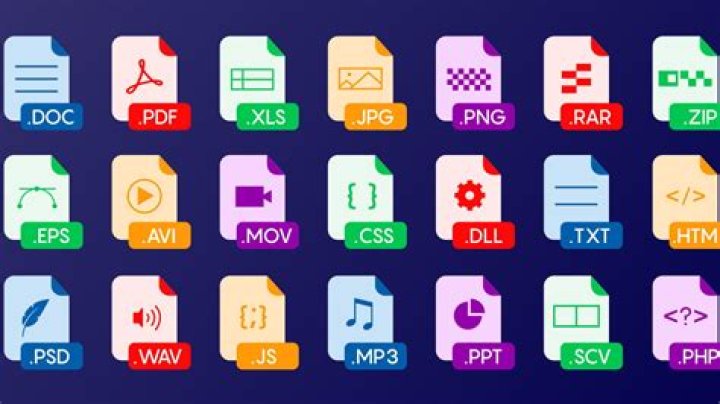
In today's digital world, file types play a critical role in how we store, share, and interact with information. Whether you're working on documents, images, videos, or audio files, understanding the different types of file formats is essential. File types determine how data is structured, stored, and interpreted by software applications, making them a key component of digital workflows.
As technology advances, the number of file types continues to grow, each designed for specific purposes. From common formats like PDF and JPEG to more specialized types such as PSD or AI, knowing which file type to use can significantly impact the quality and functionality of your work. This article will explore the various file types, their uses, and how to choose the right one for your needs.
Whether you're a student, professional, or tech enthusiast, having a solid understanding of file types is crucial. It ensures compatibility across devices, preserves data integrity, and enhances productivity. Let's dive into the world of file types and learn how they shape our digital experiences.
What Are File Types and Why Do They Matter?
File types, also known as file formats, refer to the specific structure and encoding of data within a file. They define how information is stored and accessed by software programs. Each file type has its own characteristics, such as compression methods, metadata support, and compatibility with certain applications.
Understanding file types matters because it directly affects how you interact with digital content. For example, choosing the wrong file type for a project can lead to loss of quality, compatibility issues, or even data corruption. By selecting the appropriate format, you ensure that your files are optimized for their intended purpose, whether it's for editing, sharing, or archiving.
How File Types Influence Data Storage and Accessibility
- Data Integrity: Certain file types are designed to preserve data quality, making them ideal for tasks requiring high precision.
- Compatibility: Different software programs support various file types, so choosing the right one ensures seamless integration across platforms.
- File Size: Some formats use compression techniques to reduce file size, making them easier to store and share.
- Security: Certain file types offer encryption and password protection, enhancing data security.
Common File Types and Their Uses
There are numerous file types available, each tailored for specific purposes. Below are some of the most common file types and their typical applications:
1. Document File Types
- PDF (Portable Document Format): Ideal for sharing documents that maintain formatting across devices.
- DOC/DOCX: Microsoft Word's native format, widely used for creating and editing text documents.
- ODT (OpenDocument Text): An open standard format used by applications like LibreOffice.
2. Image File Types
- JPEG/JPG: Commonly used for photographs due to its efficient compression.
- PNG (Portable Network Graphics): Supports transparency and is often used for web graphics.
- GIF (Graphics Interchange Format): Supports animations and is widely used for memes and short clips.
3. Audio File Types
- MP3: A widely-used format for music and audio files due to its balance of quality and file size.
- WAV (Waveform Audio File Format): Offers high-quality audio but results in large file sizes.
- AAC (Advanced Audio Codec): Provides better compression than MP3 while maintaining quality.
Advanced File Types for Specialized Purposes
Beyond the common file types, there are advanced formats designed for specific industries and applications. These file types often require specialized software to create or edit but offer enhanced functionality.
1. Vector Graphics File Types
- SVG (Scalable Vector Graphics): Used for creating resolution-independent graphics, ideal for web design.
- AI (Adobe Illustrator): A proprietary format used for creating vector graphics in Adobe Illustrator.
2. Video File Types
- MP4: A versatile format for storing video and audio, widely supported by most devices.
- MOV (QuickTime Movie): Developed by Apple, commonly used for high-quality video editing.
- AVI (Audio Video Interleave): An older format that offers good compatibility but results in larger file sizes.
Choosing the Right File Type for Your Needs
Selecting the appropriate file type depends on several factors, including the purpose of the file, the software you're using, and the devices you plan to share it with. Here are some key considerations:
1. Purpose of the File
- For documents: Use PDF for sharing and DOCX for editing.
- For images: Use JPEG for photographs and PNG for web graphics.
- For audio: Use MP3 for general use and WAV for professional audio editing.
2. Software Compatibility
- Ensure the file type you choose is supported by the software you or your collaborators are using.
- Consider open standard formats for better compatibility across platforms.
3. File Size and Storage Requirements
- Choose compressed formats like MP4 or JPEG for efficient storage and sharing.
- Use uncompressed formats like WAV or TIFF for high-quality editing and archiving.
File Type Extensions and Their Meanings
File extensions are the suffixes appended to filenames, indicating the type of file. Understanding file extensions helps you quickly identify the format and determine how to open or edit the file.
Common File Extensions and Their Uses
- .pdf: Portable Document Format for sharing documents.
- .jpg/.jpeg: Image format for photographs.
- .mp3: Audio format for music files.
- .mp4: Video format for storing multimedia content.
File Conversion and Compatibility
File conversion is the process of changing a file from one format to another. This is often necessary when working with incompatible software or sharing files across different platforms.
Tools for File Conversion
- Online Converters: Websites like CloudConvert and Zamzar offer easy file conversion services.
- Desktop Applications: Programs like Adobe Acrobat and VLC Media Player support file conversion.
- Command-Line Tools: Advanced users can use tools like FFmpeg for batch file conversions.
Best Practices for File Conversion
- Always back up your original files before converting.
- Choose a conversion tool that supports the desired output format.
- Test the converted file to ensure quality and compatibility.
Security Considerations for File Types
File types can pose security risks if not handled properly. Malicious actors may exploit vulnerabilities in certain formats to deliver malware or steal sensitive information.
Protecting Your Files
- Use Encryption: Encrypt sensitive files to prevent unauthorized access.
- Set Passwords: Protect important files with strong passwords.
- Regular Updates: Keep software up to date to patch security vulnerabilities.
Emerging Trends in File Types
As technology evolves, new file types are emerging to address the changing needs of users. These formats often offer improved performance, enhanced security, and better compatibility with modern devices.
1. Cloud-Based File Formats
- Formats like Google Docs and Microsoft OneDrive allow real-time collaboration and cloud storage.
2. Blockchain-Enabled File Types
- File types integrated with blockchain technology provide enhanced security and transparency.
Conclusion
In summary, file types are a fundamental aspect of digital management, influencing how we store, share, and interact with information. By understanding the different file types and their uses, you can optimize your workflows, enhance productivity, and ensure data security. Whether you're working with documents, images, audio, or video, choosing the right file type is essential for achieving your goals.
We encourage you to explore the resources mentioned in this article and experiment with different file types to find what works best for your needs. Don't forget to share this article with others who may benefit from it and leave a comment below with your thoughts or questions. For more informative content, check out our other articles on digital technology and productivity tips.




