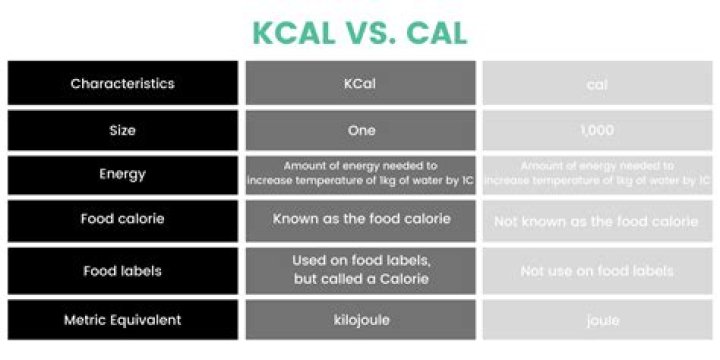
In today's digital age, the term CAL (Client Access License) plays a pivotal role in software licensing and network management. Whether you're a small business owner or an IT professional, understanding CAL and its implications is essential for ensuring compliance and optimizing your IT infrastructure.
As technology continues to evolve, organizations are increasingly relying on network-based software solutions. These solutions require a robust licensing structure to manage user access and resource allocation. CAL is a fundamental component of this structure, dictating how users interact with network resources.
This article aims to provide a detailed exploration of CAL, its types, implementation, and best practices. By the end, you'll have a clear understanding of how CAL works and its significance in modern IT environments.
What is CAL?
A Client Access License (CAL) is a software license that grants a user or device permission to access a server or network resource. CALs are commonly used in enterprise environments to manage and regulate access to Microsoft products such as Windows Server, SQL Server, and more. Understanding CAL is crucial for businesses that rely on these technologies.
Each CAL is tied to either a user or a device, ensuring that only authorized entities can access the network resources. This licensing model helps organizations maintain security, compliance, and efficient resource allocation.
For instance, if a company uses Windows Server, it must purchase CALs for each user or device that accesses the server. This ensures that the organization adheres to Microsoft's licensing agreements and avoids potential legal issues.
Types of CALs
User CALs
User CALs are assigned to individual users, allowing them to access server resources regardless of the device they use. This type of CAL is ideal for organizations where employees frequently switch devices or work remotely.
Device CALs
Device CALs, on the other hand, are tied to specific devices. Any user accessing the network through a device with a Device CAL will have permission to use the resources. This model is suitable for environments where multiple users share devices.
Why Are CALs Important?
CALs are essential for maintaining compliance with software licensing agreements. Without proper CAL management, organizations risk facing legal consequences and financial penalties. Additionally, CALs help optimize resource allocation, ensuring that only authorized users or devices access sensitive information.
For example, a healthcare organization using SQL Server to manage patient data must ensure that only authorized personnel have access. CALs provide the necessary framework to achieve this level of security and compliance.
How to Calculate CAL Requirements
Determining the number of CALs your organization needs involves assessing the number of users and devices that will access the network resources. Here are some key considerations:
- Identify all users and devices that require access to the server.
- Decide whether to use User CALs or Device CALs based on your organizational needs.
- Consult Microsoft's licensing guidelines to ensure compliance.
By accurately calculating your CAL requirements, you can avoid overspending on licenses while ensuring all necessary access is granted.
Implementing CALs in Your Organization
Implementing CALs requires careful planning and execution. Here are the steps to follow:
- Conduct a thorough assessment of your organization's IT infrastructure.
- Choose the appropriate CAL type (User or Device) based on your needs.
- Purchase the required CALs from an authorized reseller or directly from Microsoft.
- Install and configure the CALs on your network.
Proper implementation ensures that your organization can fully leverage the capabilities of server-based software while maintaining compliance.
Best Practices for Managing CALs
Effective CAL management is critical for long-term success. Here are some best practices to consider:
- Regularly audit your CAL usage to ensure compliance.
- Keep detailed records of all CALs purchased and assigned.
- Stay informed about changes in Microsoft's licensing policies.
- Train your IT staff on CAL management best practices.
By adhering to these practices, you can minimize risks and maximize the benefits of your CAL investments.
Common Misconceptions About CAL
There are several misconceptions about CAL that can lead to compliance issues. Below are some of the most common ones:
CALs Are Optional
One common misconception is that CALs are optional. In reality, they are mandatory for any user or device accessing server-based resources. Failing to acquire the necessary CALs can result in legal and financial penalties.
All CALs Are the Same
Another misconception is that all CALs are identical. In fact, different server products require specific types of CALs. For example, a Windows Server CAL does not cover SQL Server access. Understanding these distinctions is crucial for compliance.
Cost Considerations for CALs
The cost of CALs varies depending on the type of server product and the number of users or devices requiring access. It's important to budget accordingly and consider the long-term needs of your organization.
For example, purchasing User CALs for a growing team may initially seem more expensive than Device CALs. However, as the team expands, User CALs may prove to be more cost-effective in the long run.
Future Trends in CAL Management
As technology continues to evolve, so too does the landscape of software licensing. Cloud-based solutions and subscription models are becoming increasingly popular, offering alternative approaches to traditional CAL management.
Organizations should stay informed about these trends and consider how they might impact their licensing strategies. For instance, Microsoft's shift toward cloud-based licensing options like Azure may influence future CAL requirements.
Conclusion
In conclusion, CALs are a vital component of software licensing and network management. By understanding the types of CALs, their importance, and best practices for implementation, organizations can ensure compliance and optimize their IT infrastructure.
We encourage you to take action by reviewing your current CAL setup and considering any necessary adjustments. If you found this article helpful, please share it with others who may benefit from the information. Additionally, feel free to explore our other resources for further insights into IT management and compliance.



